Professional handheld 3D scanning

Capture complex shapes fast and accurately

Bring physical objects into your digital workflow with Go!SCAN SPARK. Capture geometry and color for product development, reverse engineering, archaeological documentation, and sculpture digitization.

See how it handles your application in a free demo with 4th Dimension.

For engineering teams, manufacturers, cultural institutions, and sculpture professionals in Greece.

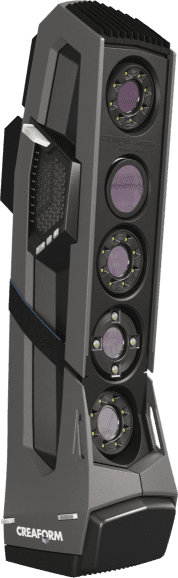
Creaform Go!SCAN SPARK handheld 3D scanner
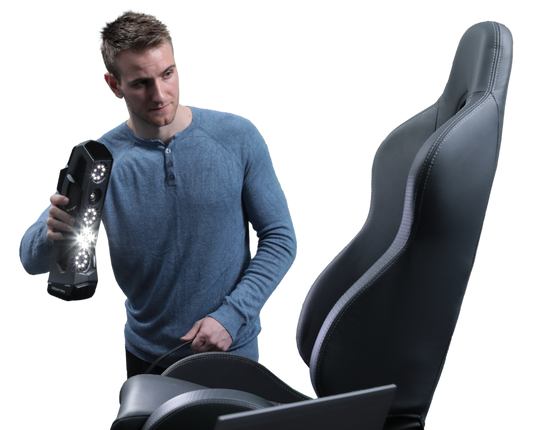
Operator scanning a car seat with the Go!SCAN SPARK (Creaform)Illustrative museum artifact

Watch

Your next step starts with the real shape.

An existing component without CAD. A curved surface that is difficult to measure. An archaeological object that needs a digital record. A sculpture you want to reproduce at a different scale.

Go!SCAN SPARK captures accessible surfaces as 3D geometry, giving your team a reference for the work that follows.

Whether your next step is design, documentation, reconstruction, or digital presentation, start by understanding what your object requires.

Spend less time struggling to capture complex geometry.

01

Move beyond difficult manual measurements

Curves, organic forms, and intricate surfaces can be cumbersome to describe through individual measurements. Capture their shape as a 3D reference for your project.

02

See coverage while you scan

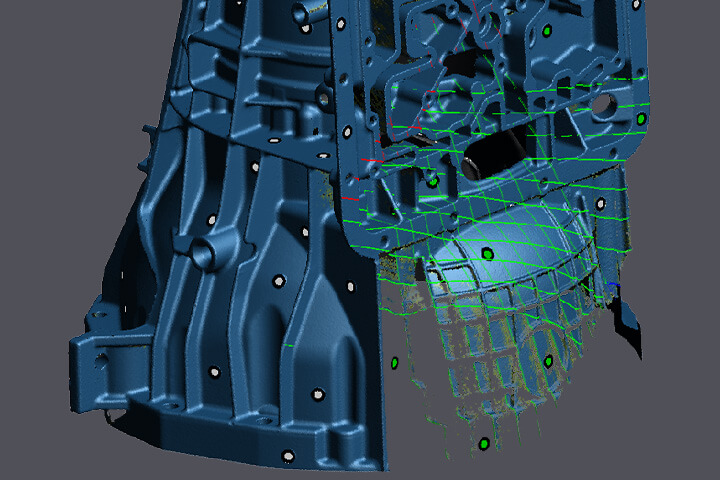
Live mesh visualization helps you inspect the developing model and identify areas that need more coverage during acquisition.

03

Plan the complete workflow

Understand how your scan will be processed, exported, and used in your intended software. Evaluate the steps needed to reach your actual deliverable.

See It in a Free Demo

One scanner. Applications across industry and heritage.

Explore how Go!SCAN SPARK could support your work—from existing components to objects of cultural significance.

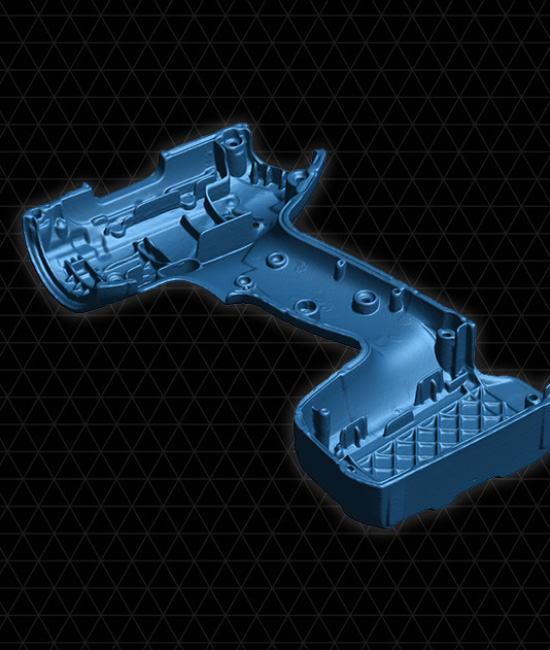
Drill casing scanned with Go!SCAN SPARK (Creaform)

Product Development & Reverse Engineering

Capture existing components and complex surfaces as references for redesign, integration, and CAD reconstruction.

  • Components with missing or outdated CAD
  • Freeform housings and enclosures
  • Existing products and physical prototypes
  • Reference geometry for replacement-part design

Give your design process a reference grounded in the physical object.

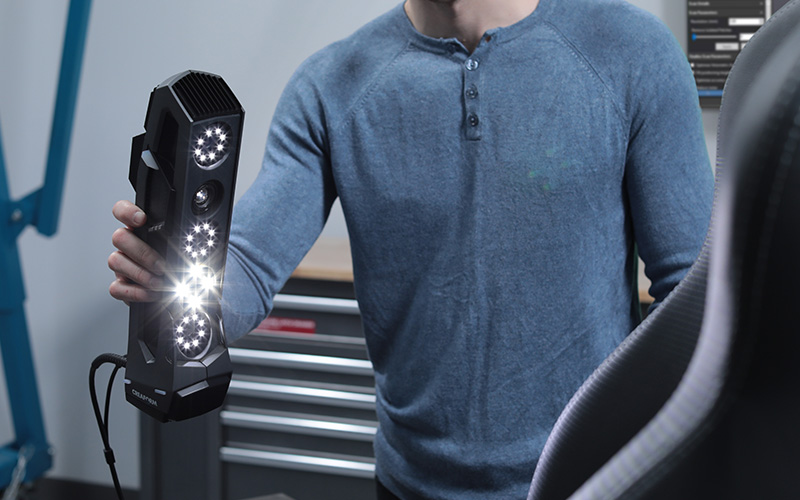
Go!SCAN SPARK scanning a car seat (Creaform)

Automotive & Custom Fabrication

Document accessible vehicle geometry to support the design of components that need to fit around existing shapes.

  • Interior trim and dashboards
  • Panels, housings, and custom bodywork
  • Packaging and clearance studies
  • Aftermarket product development

Assess fit-related geometry before committing to your next design.

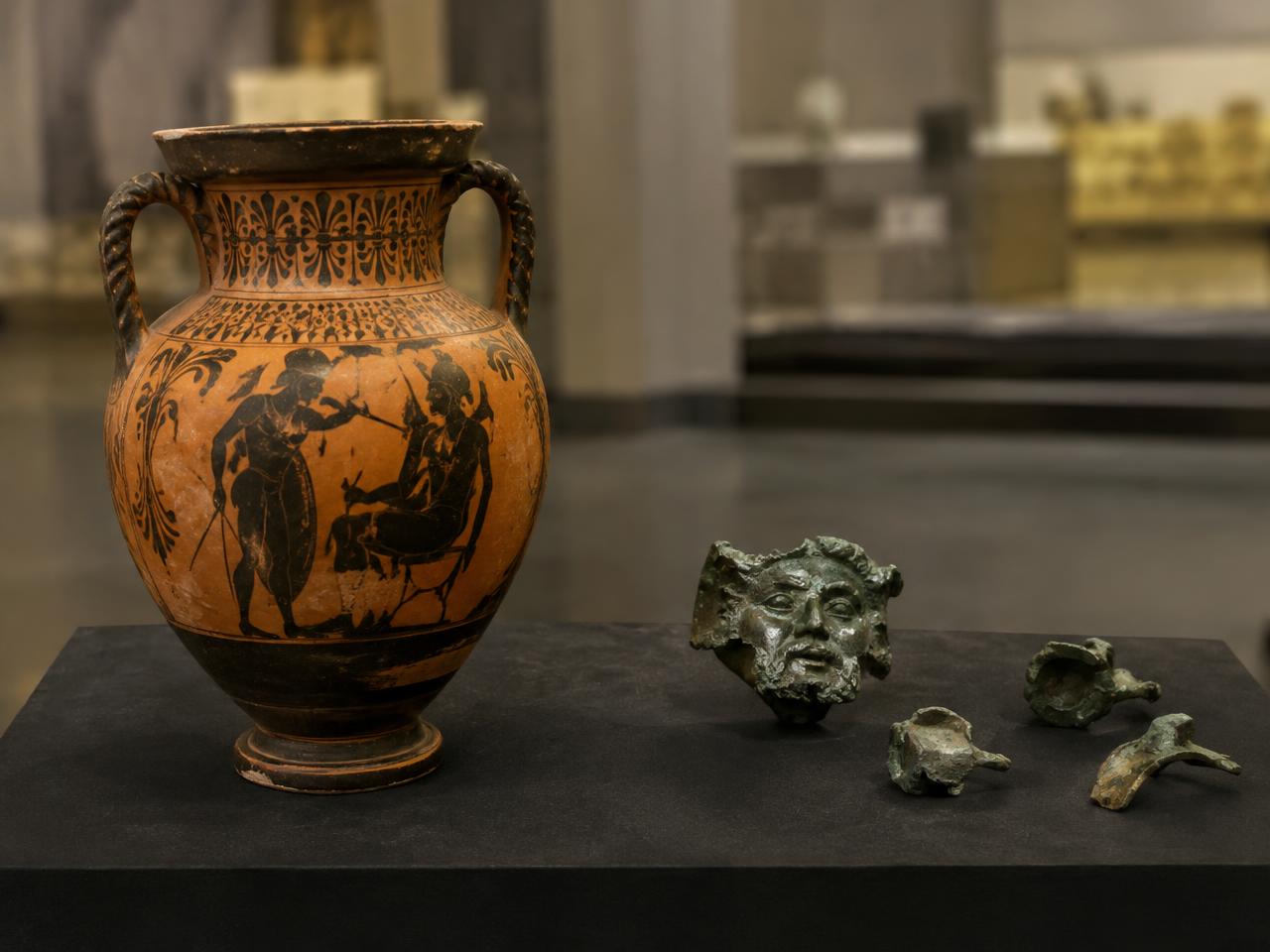
Illustrative photo of an amphora and bronze fragments in a museum

Archaeology & Cultural Heritage

Create digital references of archaeological objects and architectural fragments for documentation, research, and digital interpretation.

  • Artifact digitization and collection records
  • Research and remote collaboration
  • Restoration planning and digital reconstruction
  • Educational and virtual museum experiences

Build a digital resource that supports the study and sharing of cultural heritage.

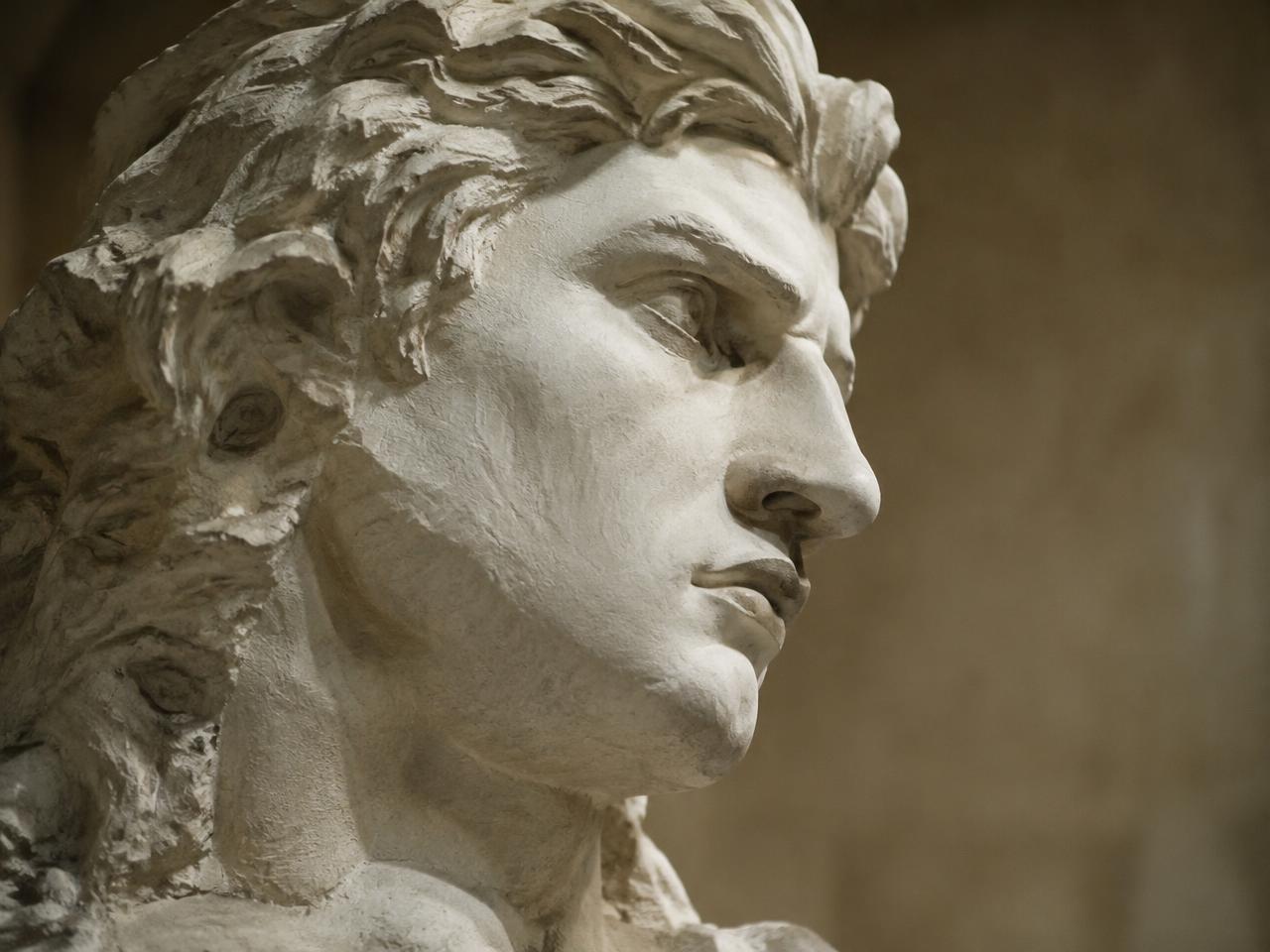
Illustrative photo of a marble sculpture head

Marble Statues, Sculpture & Reproduction

Capture sculpted forms for digital archiving, modification, and reproduction workflows.

  • Marble statues and contemporary sculpture
  • Decorative reliefs and architectural ornament
  • Scaled reproductions and replicas
  • Reference geometry for 3D printing or CNC preparation

Take sculpted geometry into the next stage of your creative or documentation process.

Discuss Your Application — Book a Free Demo

Digital documentation & cultural heritage

Capture the form. Support its future study.

For museums, archaeologists, and conservators, a 3D model can become a useful resource for documentation, analysis, interpretation, and public engagement.

Go!SCAN SPARK combines geometry and color acquisition in a portable handheld system. Evaluate how it can support your collection or project while respecting the object’s handling and conservation requirements.

Create a digital reference

Document accessible geometry for future study and project use.

Support collaboration

Share suitable digital outputs with researchers, designers, and project partners.

Develop new experiences

Prepare assets for educational content, virtual exhibitions, and interactive presentations.

Explore reconstruction and reproduction

Use captured geometry as a starting point for digital reconstruction or replica production, with the necessary modeling and fabrication work.

Required detail, texture quality, surface behavior, and any restrictions on targets or surface preparation are assessed for each project.

Book a Free Demo for Your Heritage Project

From physical object to your next digital step.

  1. 1

    Define the result you need

    Start with your object, the important features, and the intended output. Establish the required detail, dimensions, and downstream software.

  2. 2

    Capture the accessible surfaces

    Scan with live feedback. Depending on the object, positioning can use geometry, color texture, targets, or a combination.

  3. 3

    Process and prepare the data

    Review coverage, align captures where necessary, and prepare a mesh suited to the intended task.

  4. 4

    Continue your workflow

    Export to compatible software for design reference, CAD reconstruction, documentation, visualization, or preparation for reproduction.

A scanned mesh and an editable CAD model are different deliverables. CAD reconstruction, restoration modeling, and fabrication preparation may require additional software and work.

Explore Your Workflow in a Free Demo

Why Go!SCAN SPARK

Built to capture geometry and color together.

Live mesh visualization in Creaform software

Geometry and color acquisition

Record shape together with visual information for applications where both matter.

Live mesh visualization

Inspect the developing model during acquisition and identify areas requiring additional coverage.

Flexible positioning

Use suitable object geometry or color texture for positioning. Add targets when the application requires them.

Portable handheld format

Bring the scanner to the object with a portable system connected to a compatible computer.

Outputs for downstream work

Export mesh data in formats including STL and OBJ for use in compatible applications.

Application-focused evaluation

Work with 4th Dimension to assess the capture strategy, software, and equipment your project needs.

Local training & support

A team in Athens, working in your language and time zone.

Choosing a scanner is only the start. 4th Dimension helps your team get from first scan to a dependable workflow, with training and support close to home.

  • Hands-on training

    Learn capture, positioning, and processing on your own types of objects.

  • On-site sessions

    Training at your facility, museum, or studio can be arranged.

  • Local technical support

    Talk to specialists in Greece when questions come up.

  • Workflow guidance

    Advice on software, export, and the steps to your final deliverable.

The specifications behind the capture.

Go!SCAN SPARK technical specifications
AccuracyUp to 0.050 mm*
Volumetric accuracy0.050 mm + 0.100 mm/m*
Measurement resolution0.100 mm
Mesh resolution0.200 mm
Measurement rateUp to 1,500,000 measurements/second
Color24-bit color acquisition
Recommended object size0.1–4 m
Scanner weight1.25 kg
ConnectionUSB 3.0
PositioningGeometry, color, and/or targets
Output formats.dae, .fbx, .ma, .obj, .stl, .txt, .wrl, .x3d, .zpr, .3mf
Compatible software3D Systems (Geomagic® Solutions), InnovMetric Software (PolyWorks), Metrologic Group (Metrolog X4), New River Kinematics (Spatial Analyzer), Verisurf, Dassault Systèmes (CATIA V5, SOLIDWORKS), PTC (Creo), Siemens (NX, Solid Edge), Autodesk (Inventor, PowerINSPECT)

*Manufacturer specifications apply under stated test conditions. Accuracy, resolution, and volumetric accuracy describe different characteristics. Actual results depend on the object, surface, scale, acquisition method, and processing. Acquisition rate does not represent total project throughput.

Download the Brochure (PDF) →

Evaluate the value across the whole job.

The purchase decision goes beyond scanner specifications. Preparation, operator time, processing, software, and support all influence the value of your system.

Use your demo to understand:

  • ✓What it takes to prepare and capture your object.
  • ✓Whether the important geometry is captured.
  • ✓How the data moves into your intended workflow.
  • ✓Which software and workstation are required.
  • ✓What training and support should be included.

Request a quotation built around your application and the complete package you need.

Book a Free Demo

See how it fits your work

Your object. Your requirements. A clearer decision.

Book a free Go!SCAN SPARK demo with 4th Dimension.

Tell us what you want to scan and what you need to do with the result. We’ll discuss the application and arrange an appropriate demonstration.

  • ✓Discuss the geometry and detail that matter.
  • ✓Assess surface preparation and positioning needs.
  • ✓Explore processing, export, and downstream software.
  • ✓Clarify the equipment and software package required.

Book Your Free Demo

We’ll use your information to respond to your demo request. We also record campaign labels and the referring website to understand which channels bring requests; these are not sent to advertising platforms. Read our Privacy Policy.

Frequently asked questions

What can I scan with Go!SCAN SPARK?+

Go!SCAN SPARK captures a wide range of objects and complex surfaces, with a recommended object size of 0.1–4 m. Suitability depends on the surface, accessibility, required detail, and intended result. Tell us about your application so we can recommend the right approach.

Can it scan marble statues and archaeological artifacts?+

Yes. Go!SCAN SPARK can support the digitization of sculptures and archaeological artifacts for documentation, research, reproduction, and digital presentation. We’ll assess the surface and required detail to establish a suitable workflow for your object.

Do I need to attach positioning targets?+

Not always. Go!SCAN SPARK can use an object’s natural geometry and colour texture for positioning, allowing many objects to be scanned without targets. Objects with limited features or texture may benefit from additional targets. For heritage objects, we’ll discuss any restrictions before planning the capture.

Can you assess a workflow without spray or attached targets?+

Yes. Tell us if surface treatment or attached targets are prohibited. We’ll assess whether a suitable workflow is possible for your object and the detail you need.

Can it capture black, shiny, or polished surfaces?+

These surfaces can be challenging and may require preparation or a different approach. We can arrange a demonstration with your parts so you can see the preparation, scanning, and processing steps involved.

Will the scan become an editable CAD model automatically?+

A scan captures surface geometry, typically as a mesh. Creating an editable CAD model may require feature fitting, surfacing, or reconstruction using appropriate software. We’ll explain the steps and software relevant to your intended output.

Can I use the data for replicas or 3D printing?+

Yes. Captured geometry can be prepared for replicas and 3D printing. Depending on the object and intended output, mesh repair, reconstruction, scaling, or other preparation may be needed.

Can scans reveal changes in an artifact over time?+

Yes, repeat scans can help identify and measure changes when those changes are large enough to distinguish from measurement uncertainty. Reliable comparison requires consistent capture and alignment methods. Additional inspection software may be needed for analysis and reporting.

How long does a scanning job take?+

Many objects can be scanned in minutes. Total project time also includes any preparation, processing, and work needed to produce your final deliverable. During a demo, we can assess the complete workflow for a representative object.

What software and computer do I need?+

Requirements depend on the size and detail of your scans and what you want to do with the data. We’ll recommend a compatible workstation and clearly identify the included software and any additional modules your application requires.

How much does Go!SCAN SPARK cost?+

Contact 4th Dimension for a current quotation tailored to your application. We’ll provide a clear breakdown of the proposed hardware, software, accessories, training, and support.

What happens after I request a demo?+

The 4th Dimension team will contact you to discuss your object, requirements, and preferred demonstration arrangements.

See what Go!SCAN SPARK can capture for your next project.

From engineering components to archaeological objects and marble sculpture, start with an application-focused conversation.

Book a Free Demo
Book a Free Demo